Learning Center: Videos
Our Learning Center Video Library is designed to provide answers to questions that we are most frequently asked. Since we have so many videos, we have separated them out into categories to help you navigate to the video that will best answer your questions. We also have a search feature on each page.
-

What is a USB-C?
USB-C is a small, oval-shaped port designed to replace older USB connections. For businesses and everyday users, that means fewer cables, faster charging, and smoother workflows. Whether you’re backing up data, running presentations, or just charging your phone, USB-C makes the process simpler and more efficient.

What is a USB?
If you’ve ever plugged in a digital camera, printer, or external hard drive to your computer, you’ve probably used a USB connection. But what exactly is a USB, and why has it become such an essential part of our modern tech lives?

What is RCS?
In this video, we break down Rich Communication Services (RCS), the modern evolution of text messaging that’s changing the way we communicate. Whether you're a curious smartphone user or a business owner looking to upgrade customer engagement, this guide is for you.

What is the Microsoft Windows 365 Link Device?
MSPs, you know the pain. New tech that promises simplicity but delivers setup marathons and firmware purgatory. Not this time. We got our hands on the Microsoft Windows 365 Link and were fully expecting the usual frustrations. But to our surprise? It. Just. Worked.

What is a Domain Name? Understanding the Basics
Ever wonder what a domain name really is and why it’s such a big deal? In this video, we explain domain names in simple, relatable terms. You’ll learn what they do, why they’re important, and how to choose one that strengthens your business's online presence.

Why Are Printers So Hard to Fix?
Printers are essential in every office, but fixing them can feel impossible. Why are printers so hard to deal with? In this video, we break down the reasons printers often cause frustration. Printers may be complicated, but with a little extra care, you can avoid many common issues and keep things running smoothly.

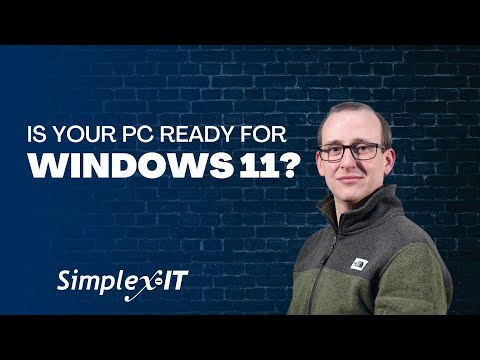
Is Your PC Ready for Windows 11?
Wondering why your PC won’t upgrade to Windows 11or if it even can? In this video, we walk you through exactly how to check your computer's compatibility using Microsoft’s PC Health Check tool. Plus, we explain common issues like unsupported processors, missing TPM 2.0, Secure Boot problems, and more.

What is a Browser? Understanding the Basics of Web Navigation
A browser is software that’s used to access the internet. The most popular web browsers are Chrome, Firefox, Safari, Internet Explorer, and Edge Ever wondered what a browser actually is and why it matters? In this video, we break down the basics of internet browsers and which one might be best for you.

Cloud vs. Local Storage: What Happens When You Delete Your Data?
Think hitting "delete" means your files are gone forever? Not quite. In this video, we break down what really happens when you delete data, both on your local devices and in the cloud. If you’re storing personal or business data, understanding the truth behind file deletion is essential.

What is a Data Server and How Does It Work?
Ever wonder what a data server actually does, or if you need one? A data server is like a digital file cabinet that stores and shares your most important information, customer records, financial data, inventory, and more. Servers make sure everyone has access to what they need, when they need it.

What is a Network?
If you've ever heard the term "network" and felt your eyes start to glaze over, you're not alone! But understanding what a network is doesn't have to be complicated. At its core, a network is just two or more computers (or other electronic devices) connected together so they can share resources

What is HTML?
Ever wonder how websites are built? At the core of nearly every page you visit is HTML—Hypertext Markup Language. It’s the essential code that gives structure and meaning to web content. Whether you’re brand new to web development or just curious about how websites work, this video is the perfect place to start.

What's The Difference Between USB 2.0 and USB 3.0?
USB 2.0 and USB 3.0 are two versions of the Universal Serial Bus (USB) standard that differ significantly in performance, power, and overall functionality. Understanding the nuances between these two standards can help you make better decisions when purchasing or using devices that require USB connections.

What is Operational Technology?
Operational Technology (OT) is the hardware and software that control physical devices and processes within a business. From manufacturing robots to utility control systems and medical devices, OT is what keeps industries running smoothly. How is OT Different from IT?

Is Microsoft enforcing DMARC?
Starting May 5, 2025, Microsoft is enforcing stricter DMARC compliance for domains sending more than 5,000 emails a day. And if you're not ready, your messages could end up in the Junk folder, or worse, get blocked entirely. Don’t wait until emails start bouncing. Now’s the time to prepare and protect your deliverability.

How to Choose the Right AI Platform for Your Business | A Step-by-Step Guide
In today's world, businesses are turning to artificial intelligence tools to boost productivity, improve customer service, and gain a competitive edge. But with so many options available, how do you know which AI platform or tool is the best fit for your business?

What is Microsoft's Startup Boost?
Remember when Microsoft automatically upgraded Outlook? Well, they’re back at it, this time with a new Windows feature called Startup Boost, rolling out in May. It promises faster launch times for apps like Edge, Word, and Excel by preloading them in the background when your PC starts up. Is this feature a performance booster or just more bloat?

What Is a Critical Update? Essential Tips for Keeping Your Business Software Running Smoothly
A critical update is essential for fixing serious software issues that disrupt functionality but aren’t related to security. Your software plays a vital role in daily business tasks like managing finances, tracking customer data, and team communication. Ignoring critical updates can lead to frequent software crashes, slower performance and more!

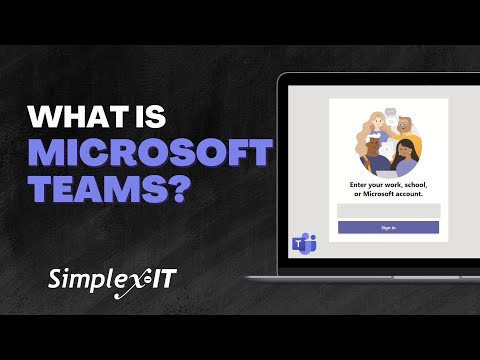
What is Microsoft Teams? How Can My Business Use It?
Looking for a better way to communicate and collaborate with your team? Meet Microsoft Teams – your all-in-one solution for messaging, video calls, file sharing, and project collaboration! With so many apps out there, keeping your team connected can feel overwhelming. But Microsoft Teams brings everything together in one place.

What is Bluetooth and How Does It Benefit Your Business?
At its core, Bluetooth is a wireless technology that enables devices to communicate over short distances, acting like an invisible cable connecting your phone, headphones, or car stereo. It facilitates seamless data transfers, such as music or files, without the need for physical connections.

Public vs. Private IP Address Explained: What's the Difference?
While most people have heard of IP addresses, many aren’t aware of the crucial distinctions between public and private IPs. A public IP address is your device’s unique identifier on the internet, and visible to the world. In contrast, a private IP address is used within a local network.

How to Effectively Prompt AI: A Guide to Getting Better Results
Effectively prompting AI is crucial for getting the results you want, and it’s more than just typing in a simple question or request. To get tailored, accurate responses, it's important to craft your AI prompts with clarity and structure.

Is Buying the Cheapest IT Equipment a Smart Choice for Your Business?
The temptation to cut costs by purchasing low-priced IT products is common, especially for businesses trying to stick to a budget. But while saving money upfront might seem like a win, the truth is that opting for the cheapest IT products can end up costing your business more in the long run.

What’s the difference between Windows 10 and Windows 11? Should I upgrade?
Windows 11 launched in October 2021 with several exciting changes, including a modern, streamlined design and performance improvements. Windows 10 remains supported until October 2025, but after that, Microsoft will no longer provide security updates or bug fixes.

Can I Use OST and PST Files in the New Outlook?
Are you wondering if you can continue using OST and PST files in the new Microsoft Outlook? Historically, these file types were used by Microsoft Outlook to store data locally (PST files) or synchronize with the cloud (OST files). However, with the transition to Outlook 365, Microsoft has moved away from these older formats.

Microsoft’s New Outlook Update: Mandatory in 2025 & How to Switch Back
Is Microsoft forcing you to switch to the new Outlook? Yes, starting January 2025, the classic version of Outlook is getting a makeover—whether you like it or not. Here's what you need to know, including tips to navigate the transition smoothly, and if there are features you're missing or you just like the old version, how you can go back and forth to your heart's content.

What is IIOT? (Industrial Internet of Things)
Industrial Internet of Things (IIoT) refers to the use of smart sensors, devices, and systems in industrial environments to collect and analyze data in real-time. Unlike the consumer-focused IoT (Internet of Things), IIoT is designed specifically to improve efficiency, safety, and productivity in sectors like manufacturing, energy, and transportation.

What Are Business Critical Devices?
Business critical devices are the essential IT hardware that keeps your business running smoothly. Whether you're a business owner or IT professional, understanding these devices can help you mitigate risks, avoid costly downtime, and ensure your operations stay up and running.

The History of the Internet: Key Moments That Shaped the Digital World
Ever wondered how the internet evolved into what it is today? From its early days as a military experiment to becoming an integral part of our daily lives, the internet has come a long way! In this video, we take you on a fascinating journey through the history of the internet, covering key milestones.

What is a Hard Disk Drive (HDD) and How Does it Work? | HDD vs SSD Explained
Curious about what a hard disk drive (HDD) is and how it works? In this video, we break down the basics of HDDs—an essential storage device for computers and electronics. Learn how HDDs store and retrieve data using spinning platters and magnetic heads, and discover the advantages of using HDDs for large-scale data storage.