What Makes a Business Laptop Different from a Personal Laptop?
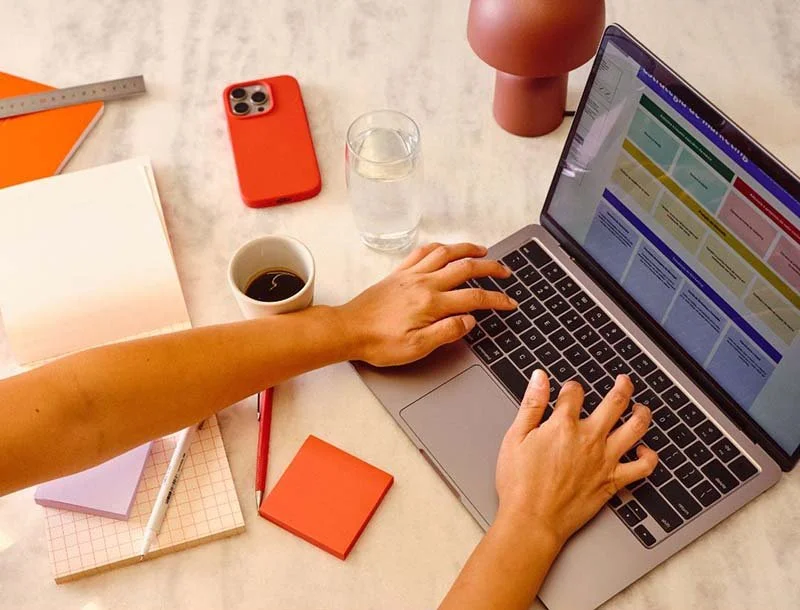
Buying laptops for your business? It’s not as simple as grabbing the shiniest one on the shelf. The wrong choice could cost you time, money, and a whole lot of headaches. Let’s make sure you pick the right one.
Buying laptops can feel like you’re standing in two completely different aisles at the tech store. On one side, you’ve got sleek consumer laptops. Shiny ads, celebrity endorsements, and “back-to-school” deals that make them look irresistible. On the other side, you’ve got business-grade laptops. They’re not flashy, they don’t have influencers hyping them up, and they come with a much bigger price tag. So what’s the real difference? And more importantly, which one makes sense for your business?
Let’s start with design and build quality. Consumer laptops are made for everyday users. Students, families, casual users. They’re designed to look nice, be lightweight, and keep costs low. That usually means plastic materials, hinges that aren’t reinforced, and a design that’s not built for constant travel. Toss it in a bag every day or haul it back and forth between the office and home, and it’s going to show wear and tear fast.
Business-grade laptops? Totally different story. They’re built for durability. We’re talking tougher materials like magnesium alloy, reinforced hinges, and in many cases, military-grade testing for drops, spills, and extreme temperatures. Why? Because businesses expect these devices to last years, not months. If someone drops their laptop in the airport or spills coffee on the keyboard, a business laptop has a much better chance of surviving than a consumer model.
Now, performance. Consumer laptops are typically configured for light use. Web browsing, streaming, email, maybe some light productivity apps. That means lower-end processors, minimal RAM, and smaller hard drives to keep prices down. Perfect for Netflix, not so great for running multiple applications, video calls, spreadsheets, and business software all at once.
Business-grade laptops usually come with faster processors, more memory, and larger SSD drives. They’re designed to handle heavy workloads like running multiple business apps, crunching data in Excel, or even creative work like editing and design. Plus, they often have better battery life because manufacturers know professionals can’t afford to hunt for an outlet halfway through the workday.
Security is another big difference. Consumer laptops usually come with the basics. Maybe a fingerprint reader or password protection. Business laptops, though, are built with security in mind. Many include hardware-level encryption, smart card readers, facial recognition, secure boot processes, and even tamper detection. They’re also compatible with enterprise-level tools that let IT teams remotely wipe or lock devices if they’re lost or stolen. In today’s world where cyber threats are constantly evolving, those protections aren’t optional, they’re essential.
Support and warranty often get overlooked, but they matter. Consumer laptops usually come with a standard one-year warranty. If something breaks, you ship it back and wait weeks for a repair. Not ideal when an employee is stuck without a computer in the middle of a client project. Business-grade laptops often come with longer warranties and options for next-day onsite support. That means if something fails, a technician shows up at your office with parts in hand, minimizing downtime.
Manageability is another area where business laptops shine. Consumer laptops are sold as-is: you buy it, you use it. Business laptops are built to be managed. IT teams can remotely push updates, manage settings, deploy software, and monitor health across an entire fleet. This centralized control saves massive amounts of time and ensures every device is secure and up to date. If your business works with a Managed Service Provider like us, this is a game-changer.
Finally, let’s talk price and total cost of ownership. Consumer laptops are cheaper upfront. Sometimes half the price of a business-grade model. But what you save upfront, you often lose later. Consumer laptops wear out faster, fail more often, and don’t come with strong support options. Replacing them every 18–24 months adds up. Business-grade laptops cost more in the beginning, but they’re designed to last 3–5 years, come with better support, and reduce downtime when something does go wrong. Over the life of the device, businesses usually end up saving money, and headaches, by investing in the higher-quality machine.
So, which one is right for you? If you’re buying a laptop for personal use, email, Netflix, maybe some light work, a consumer laptop is fine. But if you’re buying for your business and you want reliability, security, and support, a business-grade laptop is almost always the smarter investment. Ask yourself: can you afford for an employee’s laptop to be down for two weeks waiting on a warranty repair? Can you afford to lose critical data because the device didn’t support enterprise security tools? If the answer is no, you need business-grade.
And remember, this isn’t about making your life difficult with extra costs or confusing IT requirements. It’s about making things easier in the long run: fewer failures, less downtime, and a smoother experience for your employees. That means more productivity and fewer emergency calls to IT when something inevitably breaks.
Still have questions or need assistance with buying laptops for your business? Schedule a call with us or visit our Learning Center for more information. We're here to help!